Plays from YouTube (privacy-enhanced mode) only after you press play. Privacy
Manage Construction Change Orders
How do I give notice, price and get approval for a change under CCDC 2 when we hit unforeseen rock?
Under CCDC 2, give the owner written notice before disturbing the rock and within 5 working days of first seeing it. If the work is delayed, notify the Consultant within 10 working days. The change is made by a change order (price and time agreed) or a change directive (proceed now at cost plus fee). In OpenConstructionERP, raise a change order, price it against the BOQ, and have a second person approve it.
Your crew hits rock the soils report never showed, and the work, the price and the finish date all change. See how CCDC 2 handles it, then record the change order, price it against your estimate and get it approved.
In this video
- The two ways CCDC 2 changes the work: a change order and a change directive.
- The notice deadlines: written notice before you disturb the rock and within 5 working days of first seeing it, and notice of a delay within 10 working days.
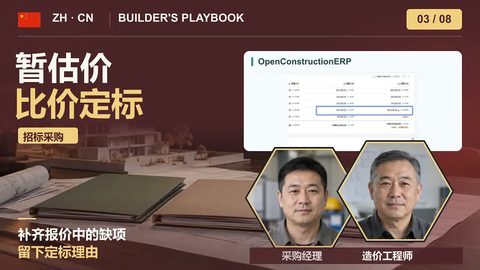
- Raise a change order, price it against your estimate, and preview its effect with What-If Impact.
- Why approval takes a second person, and where the change lands in the estimate, the contract and the budget.
- What stays with you: written notices, counting working days, and moving the finish date.
You will produce
An approved CCDC 2 change order priced against the estimate, flowing into the estimate, contract value and budget
Sources
Transcript
0:00 The contract
Your crew is digging footings for the north block and hits rock that the soils report never showed. The work changes, and so do the price and the finish date. In this lesson you see how CCDC 2 handles that change, then record it, price it against your estimate and see where the money lands. Here is the plan. First, the two ways CCDC 2 changes the work, and the notice deadlines that can cost you a claim. Then you raise a change order, price it against the estimate and preview its effect. A second person approves it, and you check where it lands. Under CCDC 2, the owner can change the work in two ways. A change order records what the owner and you have agreed: the change, the price and the time, signed by both of you. A change directive tells you to go ahead before the price and time are agreed. The owner signs it, you proceed right away, and the work is valued at your actual cost plus your fee. Once price and time are agreed, it becomes a change order. Either way, the contract says: no change to the work without one of the two. The rock also starts a clock. Under the standard conditions, you give the owner written notice before you disturb it, and no later than 5 working days after you first see it. If it holds up the work, also give the Consultant notice of the delay within 10 working days of its start, or there is no extension of time. A claim for more money needs timely notice too. Supplementary conditions can change these rules, so check your contract. A change is a relay too. Your superintendent finds the rock and writes it up the same day. The Consultant investigates and decides whether the ground differs from what the contract showed. If it does, the owner, through the Consultant, orders the change. Your project manager prices it. Once it is signed, a manager on your team approves it in the software, and the estimate, the budget and the contract catch up.
1:52 Raise and price it
First, in Settings, set Interface Mode to Advanced, so Change Orders shows in the sidebar. Open it and click New Change Order. The form has no option for a directive, so this lesson follows a change order. Give it a title the owner will recognise, pick the reason, Unforeseen Conditions, and enter the schedule impact, 4 days. Then, under Apply to contract, pick the CCDC 2 contract, so approval also revises its value. The list shows only active contracts, so sign yours first. Now the line items. Pick from BOQ pulls a line straight from your estimate, here the strip footing concrete, with its quantity and rate. Change the new quantity to what the rock needs, and the cost delta works itself out. Then add the work that was never in the estimate, the rock removal, at its own rate. These are cost rates, so add a line for the markup your contract allows. Before anyone commits, open the What-If Impact. It shows what approval would do and saves nothing. The project budget goes up by $8,574, the estimate gets one new section with 3 positions, and the finish moves out by 4 days.
3:05 Approve it
When the owner and you have agreed the price and the time, submit it. The app warns that this can't be undone. Now try to approve it yourself. The app refuses: approval takes a second person, a manager or an administrator. So a manager on your team signs in. The change order is waiting, marked Submitted. They check the line items and the impact, and click Approve. The app warns that the cost goes into the project budget.
3:32 Where it lands
Open the bill of quantities. The change sits at the end as its own section, with its code, its title and its 3 lines. The original lines are untouched. But your estimate adds its own markups to this section, so its total rises by more than the change order. The contract rises by the agreed price only. Now the contract. Its value has gone up by the same amount. And the project budget carries the change on a line of its own, named after the change order. Three things stay with you. The notices go out in writing, from you, to the addresses in your contract, on time. The app sends nothing to the owner. Count working days yourself: weekends and holidays like Thanksgiving don't count. And the app moves the master schedule's finish by 4 calendar days. If your change order gives working days, move the date yourself. That is a change under CCDC 2, from rock to record. Give notice on time, price the change against your estimate, and let a second person approve it. OpenConstructionERP is free and open source, and it runs on your own server. There's no subscription and no per-seat licence. Download it and put your next change order through it.