Plays from YouTube (privacy-enhanced mode) only after you press play. Privacy
Bid Leveling: Three Quotes, One Job
How do I compare three subcontractor quotes for the same job and pick the real low bid?
Build a trade package from the estimate so every sub prices the same three framing lines, publish it, invite three subs and record each bid, then compute the leveling and check for blank lines: a line with no price adds nothing, so Sub A's lowest total covered only one of three lines: price its gaps at Sub B's rates and Sub A's total climbs above Sub B's, so Sub B is the best value. Totals never price a note, so read each sub's exclusions too. Award to Sub B to draft a contract and a purchase order.
Compare three framing bids in OpenConstructionERP using the same scope of work. This bid-leveling example follows a trade package from the estimate through quotations and adjustments to the subcontractor award.
In this video
- Build a trade package from your estimate: one trade (here the wood framing), so every sub bids the exact same lines and the bids can be compared.
- Bid Management sits under Procurement and needs Advanced mode. Create a package with a code, a title, a deadline and the framing budget from your estimate.
- Add the framing line from the estimate with its quantity, then the lines the subs must price on their own (the wall sheathing and the blocking).
- Publish the package and invite three framing subs from your directory.
- Record each bid: a unit price on every line, with the line totals and the bid total worked out as you type.
- Close the bidding and compute the leveling. The matrix puts the subs side by side, and a blank line is the first thing to look for.
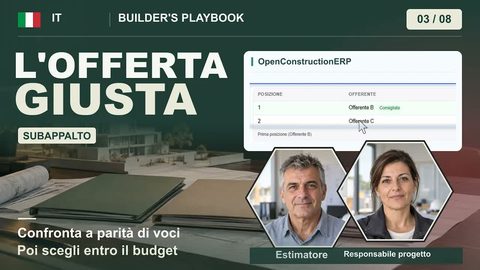
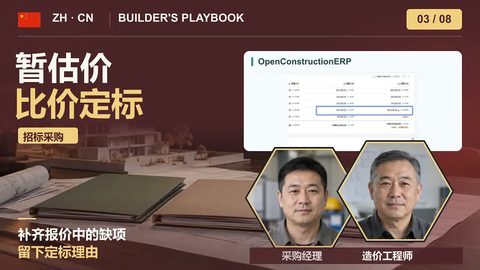
- Level like for like: a line with no real price adds nothing to the total, so price each gap at another sub's rate. Sub A's total climbs above Sub B's.
- Read every sub's exclusions. The totals never price a note, and a clause that pushes a cost back to you can outweigh a lower price.
You will produce
A framing package with three levelled bids, where the gaps in Sub A's bid are priced at Sub B's rates, and an award to Sub B that drafts a contract and a purchase order.
Transcript
0:00 The package
On bid day, three quotes land for the same job, and none of them line up. The lowest is not always the cheapest. By the end of this lesson, you pick the right one. Here's the plan. First, invite three subs to bid on the framing package. Then record their bids and compare them side by side. Then level them, and find the lines a sub left out. Finally, award the work. Bidding is team work. The estimator prepares the package from the estimate. Three subcontractors send their bids. The project manager levels them, and you award the work. A trade package is one trade, built from your estimate. Here it is the wood framing. Every sub bids the exact same lines, so the bids can be compared. Bid Management sits under Procurement, and it needs Advanced mode. If your sidebar does not show it, switch to Advanced in Settings. Open it, and create a new package for the framing. Give it a code, a title, a deadline, and the framing budget from your estimate. Open the package, and add the framing line from your estimate. It comes in with its quantity. Then type two lines the subs must price on their own, the wall sheathing and the blocking. Now every sub bids the same three lines.
1:14 Compare
Publish the package. Then pick three framing subs from your directory, and invite each one. The bids come back. For each sub, record a unit price on every line. The app works out the line totals and the bid total as you type. Sub A prices only the wall framing, leaves the other two lines blank, and its note says it excludes the sheathing and the blocking. Close the bidding, and compute the leveling. The matrix puts the three subs side by side. The app ranks Sub A first, with the lowest total in green. But look at Sub A's column. Two of its lines are blank.
1:50 Level
A line with no real price adds nothing to the total. So a total is only the lowest if it covers every line. Level the bids, price each gap at another sub's rate, and compare like for like. Sub A left two lines blank, the sheathing and the blocking. Price them at Sub B's rates, and Sub A's total climbs above Sub B's. It is no longer the low bid. Sub A said it plainly in its note: it excludes the sheathing and the blocking. The totals never price a note. So read each sub's exclusions when the bid comes in, because a clause that pushes a cost back to you can outweigh a lower price.
2:29 Award
Now compare like for like. At the same scope, Sub B is the lowest bid, and the best value. A ranking is only as good as the scope behind it. Award the package to Sub B. The amount is already filled in. Add a short decision summary, and confirm. The award drafts a contract and a purchase order for Sub B, so the commitment is on record from day one. That is bid day: one package, three bids, leveled to the same scope, and the work awarded on value. Take a trade on a job you are bidding now, get three quotes, and level them the same way. OpenConstructionERP is free and open source. Download it today and start working.