Plays from YouTube (privacy-enhanced mode) only after you press play. Privacy
CCDC 2 Monthly Progress Draw
How do I bill a monthly progress draw on a CCDC 2 job with Ontario's 10% holdback?
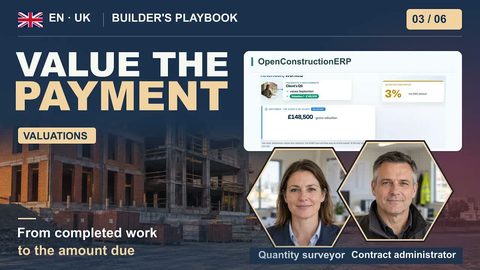
Set up a signed contract on the CCDC 2-2020 template with 10% retention (the app's word for holdback), then create a progress claim and fill it from site progress. In the example the $184,300 gross draw leaves $165,870 net after the $18,430 holdback. The owner's 28 days run from receipt of your invoice. The app does not start a Payment Clock or track holdback release or lien dates for you.
Once a month on a CCDC 2 job you bill the owner for the work in place, and Ontario law makes the owner hold back 10%. Set up the contract, bill a $184,300 draw, and see what stays on your own calendar.
In this video
- The 10% holdback under Ontario's Construction Act, and the annual holdback release for contracts entered into from 1 January 2026.
- How a CCDC 2 draw moves: your application, the Consultant's certificate, and the owner's 28 days.
- Create and sign a contract on the CCDC 2-2020 template, with 10% retention in Canadian dollars.
- Bill the monthly progress claim from site progress: $184,300 gross, $165,870 net.
- What the app leaves to you: starting the payment clock, and every holdback release and lien date.
You will produce
A signed CCDC 2 contract with 10% holdback and a monthly progress claim of $184,300 gross, $165,870 net
Sources
- Ontario Construction Act ↗
- CCDC 2-2020 ↗
- AIA G702
- AIA G703
Transcript
0:00 The rules
Once a month on a CCDC 2 job, you bill the owner for the work in place. This month's draw is $184,300, and Ontario law makes the owner hold back 10% of it. In this lesson you set up the contract, bill the draw, and see what stays on your own calendar. Here is the plan: the 10% holdback, and how CCDC 2 moves a claim. Then you set up and sign the contract, and bill this month's draw. Last, the billing sheet, the claim's steps, and what is left to you. Under Ontario's Construction Act, the owner must hold back 10% of the value of the work as it is supplied. That money stands behind everyone down the chain who could put a lien on the job. On this month's draw, the owner keeps $18,430 and pays you the other $165,870. Since January 2026, holdback also comes back once a year. Within 14 days after each anniversary of the contract, the owner must publish a notice of annual release, then pay that year's holdback 60 to 74 days later, unless a lien has been preserved. Once you are paid, your subtrades get their share within 14 days. No annual release falls due before 2027. On a CCDC 2 job, a draw is a relay. From the work in place, your project manager builds the monthly application for the owner and the Consultant. The Consultant certifies the amount, and the owner pays, less the holdback. Certifying can come after your invoice, but the owner's 28 days run from the day it arrives. A lower certificate is not enough to pay you less. The owner still needs a notice of non-payment by day 14.
1:39 The contract
Open Contracts under Commercial and click New Contract. Give it a code and a title that names the form. Lump sum is what CCDC calls a stipulated price. Switch the counterparty to Client, your owner, and pick the CCDC 2-2020 clause template. The contract won't show it later, so the title carries the name. Type the contract price, change euros to Canadian dollars, set Retention to 10% and the start date, then click Create. The header shows Canadian dollars and 10% retention. Retention is the app's word for holdback, and that 10% is only the number you typed. The release line beside it is a label, not a date from the Act. Below it is the schedule of values, one line per division. Our setup loaded it through the app's API, because this version has no screen for two things it needs: a MasterFormat code on each line, which a Canadian project checks before it signs, and a tie to the estimate, which lets a claim fill itself from site progress. A line added here by hand has neither. Click Sign, and the app runs its compliance check for a Canadian project. It checks the MasterFormat codes and the rates, not the CCDC terms or the Construction Act. When no blocking issue is left, click Sign contract. Signing can't be undone, and the claim form only lists signed contracts.
3:02 The draw
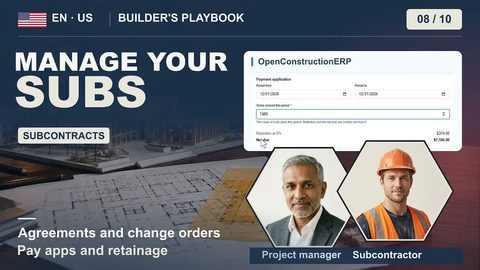
Open the Progress Claims tab and click New Progress Claim. Pick the contract, switch the currency to Canadian dollars, and set the period to August. Create it, open it, and click Populate from progress, which prices each line from the percent complete recorded on site. Commit the lines: the gross is $184,300, and the net due is $165,870. Further down is the billing sheet, in the American AIA G702 and G703 layout. Retainage is the American word for holdback, and where it says Architect, read Consultant. It lands on the same payment due. In this demo it's the first claim in the app, so previous certificates reads zero. On a live job, check that line against what was certified on your earlier claims. Submit, Approve and Certify only record where the claim stands. Nothing is sent to the owner or the Consultant from here. Each click moves one way, and from Approve on, the lines are locked. Certify once the Consultant's certificate is in hand, then click Raise receivable. Its holdback line is right, but in this version Net collectible shows the gross. Collect the amount on the billing sheet.
4:16 What stays with you
Two things are left to you. First, submitting a claim does not start a Payment Clock, so open one the day the owner receives your invoice. Second, the app holds back the 10% you typed, but it never works out when the law releases it. The contract anniversary, the annual release notice and the lien deadlines after substantial performance all go in your own calendar. That is a CCDC 2 draw: bill for the work in place, take the holdback off every claim, and move it through its steps. OpenConstructionERP is free and open source, and it runs on your own server. There's no subscription and no per-seat licence. Download it and set up your next CCDC 2 contract.