Plays from YouTube (privacy-enhanced mode) only after you press play. Privacy
Schedule to Substantial Performance
What is substantial performance in Ontario, and how do I get my job there and start the holdback clock?
Substantial performance in Ontario means the work, or a substantial part of it, is ready for or in use for its purpose, and what is left to finish costs no more than 3% of the first $1M, 2% of the next $1M and 1% of the rest. The Consultant certifies it and you publish the certificate. Liens expire 60 days after publication or 60 days after completion, abandonment or last supply.
On an Ontario job, the day that matters most for your money is the day the work is substantially performed. Take a townhome project from the schedule to that finish line, and see how it starts the holdback clock.
In this video
- Build a schedule from the estimate, and add a job calendar with Ontario's public holidays.
- Why the first reschedule can stretch the plan, and which end date to check every time.
- Keep a signed daily diary with the day's weather, and take a deficiency on the punch list from open to resolved.
- What substantial performance means in Ontario law: the 3%, 2% and 1% test.
- How publishing the certificate starts the 60-day lien period and holdback payment (liens also expire 60 days after completion, abandonment or last supply).
You will produce
A schedule on an Ontario holiday calendar, a signed daily diary and a deficiency taken from open to resolved, ready for substantial performance
Sources
Transcript
0:00 The plan
On an Ontario job, the day that matters most for your money is not the last day on site. It is the day the work is substantially performed. Once that is certified and published, the clock on your holdback starts. In this lesson you take Leslieville Townhomes from a schedule to that finish line. Here is the plan. You build the schedule from the estimate, keep today's site diary, and take one deficiency from open to resolved. Then you learn what substantial performance means in law and how it starts the holdback clock. The site half of the job is a relay. The project manager owns the schedule. The superintendent keeps the diary and walks the work with the subtrades. At the end, the Consultant decides whether the work is substantially performed, and the date on that certificate is the one the law counts from.
0:48 The schedule
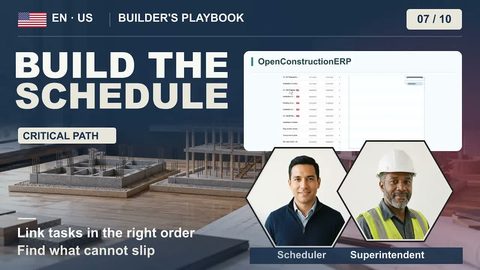
Open 4D Schedule. It doesn't need a 3D model. Create a schedule and generate its tasks from the estimate, starting June 1, the first day on site. Each section becomes a summary bar, and each line a task with first-guess dates you should check. The badge says 8 hours a day, 5 days a week: Monday to Friday, with no holidays. Open Calendars and add one for this job. The first calendar you add becomes the default. Keep Monday to Friday and add the holidays one date at a time, like Thanksgiving, Monday, October 12. The badge won't change, so trust the calendar. Which days go in is up to you. CCDC 2 counts Working Days without weekends and without the holidays the construction industry observes where the job is. For a Toronto site, start with Ontario's nine public holidays. Then add any day your site shuts down, like the Civic Holiday in August. Your holidays count when the app works the dates out again: with the Reschedule button, or when you link two tasks or give a task its own calendar. But in this version, Generate writes each length in calendar days, and Reschedule reads it as working days. So the first recalculation stretches the plan, holidays or not. On a job like this one, the last task can slip about four weeks. Check its end date every time.
2:06 The site record
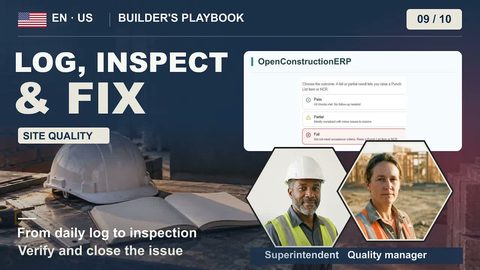
Now the site itself. Open Daily Diary and start today's diary with the headcount on site. Click Fetch, and the app pulls the day's weather from Open-Meteo, an open-source weather service. That only works once the project has a location on the map. Then write down what happened: the windows for units 4 to 6 were delivered. At the end of the day, the superintendent signs the diary, which seals it with a digital fingerprint. When a delay hits, this is the record that backs your claim. But the notice itself is on you: under CCDC 2 you only get more time if you give the Consultant written notice within 10 Working Days of the delay starting. Deficiencies go on the Punch List, all through the job. At the framing walk, a fire block is missing in the party wall of unit 2. Add it with a priority and a due date, and put the unit and level in the title. When the framer starts, move it to In Progress, and when it's fixed, to Resolved. Verify, the next step, needs someone other than the person who resolved it.
3:07 The finish line
In Ontario law, the finish line for your holdback is substantial performance, and it takes two things. The work under your contract, or a substantial part of it, is ready for use or is being used for its intended purpose. And the work left to finish or fix costs no more than 3% of the first million dollars of the contract price, 2% of the next million and 1% of the rest. On this contract, that is about $61,000, so it doesn't wait for the last deficiency. Under CCDC 2, you apply to the Consultant. Your deficiency list, with a cost against each open item, shows what is left to finish or fix. As payment certifier, the Consultant decides and signs the certificate. Then you publish it on one of the three construction news websites the regulation names. Until it is published, the lien clock does not start. Publication starts the holdback clock. Liens for work done up to the certified date expire no later than 60 days after publication. If by then none is preserved, the owner pays the holdback it still holds within 14 days, so around day 74. Work done after the certified date gets its own 10% holdback. The app itself doesn't produce the certificate in Ontario's form or publish it, and it doesn't track any of these dates. Put them in your own calendar. Plan on a calendar that knows Ontario's holidays, keep a signed record of every day, and run the deficiency list down until the work is substantially performed. OpenConstructionERP is free and open source, and it runs on your own server. There's no subscription and no per-seat licence. Download it and schedule your next job.