







































Course introduction · 3 min
AI bill checks: verify the findings, then fix the bill
You are the estimator at a German builder. An AI tool checked the firm's priced bill for the shell of a four-storey block of flats and reported seven findings, such as lines it thinks are counted twice. The bid goes out on Friday. In five tasks, in the Bill of Quantities, you prove or reject each finding from the measurements, find what the tool missed, and correct the bill.
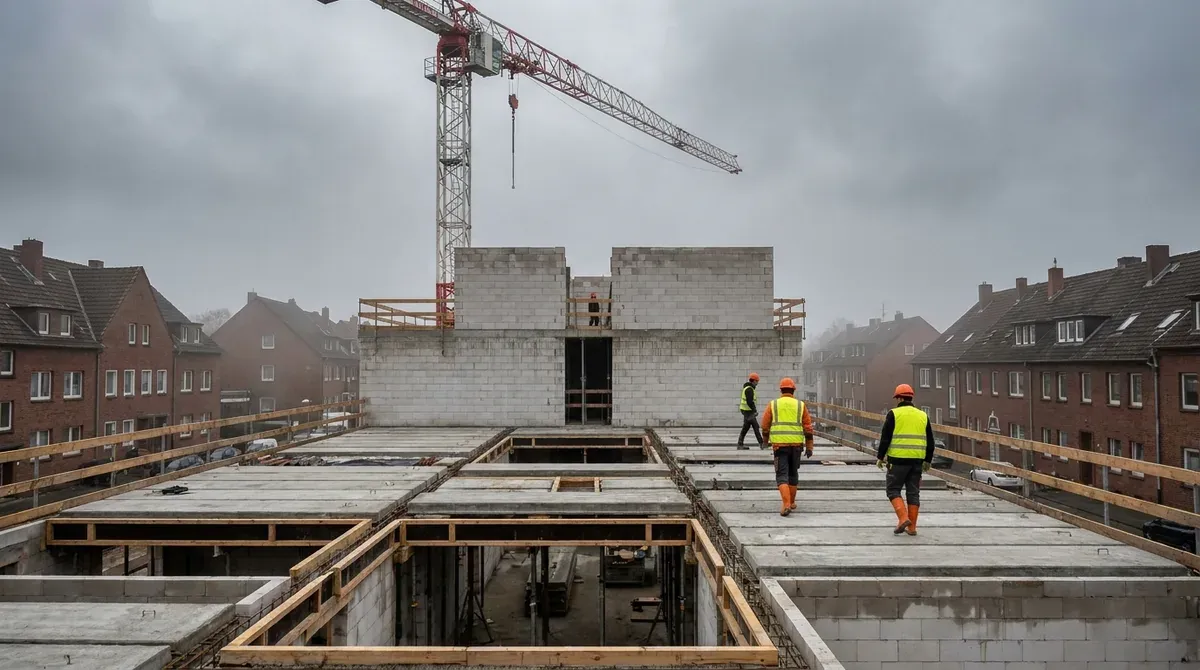 Fictional project
- Building
- Four-storey block of flats, shell works (walls, floors, roof structure)
- Job
- Verify an AI bill check before the bid
- Story
- Tender stage, February 2026
- Work in the ERP
- 5 tasks, about 3 h
Who hands what to whom
Every arrow is a document that reaches your desk or leaves it, and the task where that happens.
Comes to you
- AI bill checkSeven findings, unverified
- Findings reportTask 1
- SpecificationScope list of the shell works
- Scope listTask 2
- DesignerOpening schedule
- Opening scheduleTask 3
 YouEstimator, your firm
Goes from you
- Sign-offTask 5
- Corrected bidTask 5
 Housing developerClient
The project and the people are fictional. Portraits are generated.
Your route through the job
Three tasks on what the report found and missed, one on the sum, one to sign. Start with task 1: in Bill of Quantities you check four pairs the tool flagged as duplicates.
Check the findings
Task 1 · 35 min
Flagged duplicates: which of them is really one
- You produce
- Real duplicates taken out of section (Titel) 03
- Document
- Four flagged pairs and the measurement schedule
- In the ERP
- Bill of Quantities
Check the findings
Task 2 · 35 min
What the report cannot find: work with no position
- You produce
- Two missing items in section (Titel) 02
- Document
- The specification's scope list
- In the ERP
- Bill of Quantities
Check the findings
Task 3 · 40 min
Quantities against the measurement rules
- You produce
- Section (Titel) 04 measured by the rules
- Document
- The bill's preamble (its measuring rules) and the list of openings
- In the ERP
- Bill of Quantities
Check the sum
Task 4 · 35 min
Priced but not in the sum: Bedarf and Alternativ
- You produce
- Section (Titel) 05 without the items that stay out of the total
- Document
- Bedarf (provisional) and Alternativ (alternative) items
- In the ERP
- Bill of Quantities
Sign off
Task 5 · 35 min
Sign off the bill and the report
- You produce
- What the audit was worth, counted two ways
- Document
- The corrected bill and the seven findings
- In the ERP
- Bill of Quantities
What the report saw, and what it missed
Each step below is one task, on the same bill. The report covers only part of it; the rest you find yourself.
Blue is what the task adds; grey is carried over from before.
In short. Prove every finding from the measurement. Look for what the report cannot see. Priced is not counted.