







































Course introduction · 3 min
Procurement: compare quotes and buy steel (UK)
You buy for the main contractor on a two-storey health centre. The first-floor deck needs its steel by Monday. In five tasks you choose the supplier on landed cost, issue the order with the right VAT, receive a delivery that comes short, match the invoice before it is paid and order the fixing gang under the construction VAT rules.
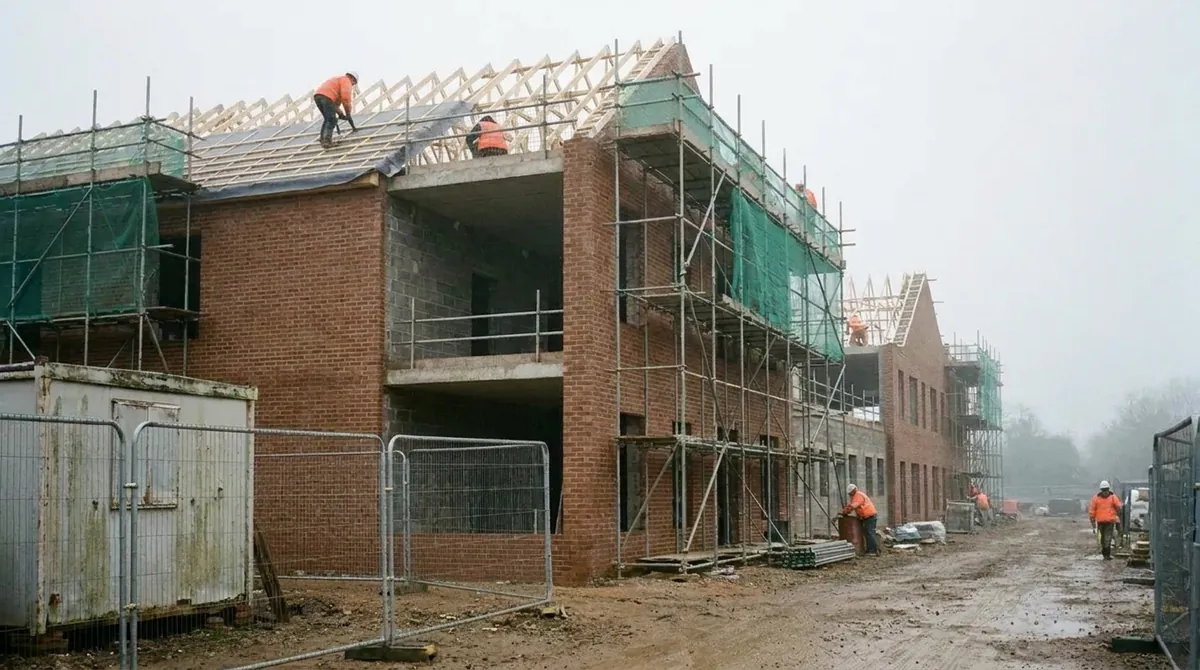 Fictional project
- Building
- Two-storey community health centre, concrete slabs
- What you buy
- The first-floor slab steel, then its fixing on both slabs
- Rules
- Sale of Goods Act 1979, VAT Act 1994 s55A, Construction Act 1996, CIS
- Work in the ERP
- 5 tasks, about 1 h 24 min
Who hands what to whom
Every arrow is a document that reaches your desk or leaves it, and the task where that happens.
Comes to you
 Site managerRuns the deck
- Steel needed MondayTask 1
- Bundle countTask 3
- Steel suppliersThree quotes, one order
- QuotesTask 1
- Delivery noteTask 3
- InvoiceTask 4
 YouBuyer (procurement QS), main contractor
Goes from you
- Approved amountTask 4
- Service orderTask 5
- VAT treatmentTask 2
- Reverse chargeTask 5
The project and the people are fictional. Portraits are generated.
Your route through the job
Two short tasks place and issue the order, two follow the steel from the lorry to the payment, one buys the labour. Start with task 1: in Procurement you choose between three quotes and raise the order.
Buy
Task 1 · 12 min
Three quotes, one order: landed cost
- You produce
- The purchase order with the supplier that is cheapest on site in time
- Document
- Three quotes and the bar schedule
- In the ERP
- Procurement
Buy
Task 2 · 12 min
VAT on a supply of steel, then issue
- You produce
- The order approved and issued, with VAT for a supply of goods
- Document
- Your draft order
- In the ERP
- Procurement
Receive and pay
Task 3 · 20 min
The delivery is short
- You produce
- A confirmed goods receipt and the value of the shortfall
- Document
- Delivery note and bundle tags
- In the ERP
- Procurement
Receive and pay
Task 4 · 20 min
Three-way match before you pay
- You produce
- The invoice entered and matched, and the amount to approve
- Document
- The supplier's invoice
- In the ERP
- Finance
Subcontract
Task 5 · 20 min
The fixing package: reverse charge
- You produce
- A labour-only service order under the reverse charge
- Document
- The fixing scope for both slabs
- In the ERP
- Procurement
From a quote to a paid invoice
Each step below is one task. A purchase builds a file: what you agreed, what came, what you paid, and how the VAT was handled.
Blue is what the task adds; grey is carried over from before.
In short. Compare on landed cost. Count before you sign. Pay what all three documents support. Know who accounts for the VAT.