







































Stage 5 of 7 · Plan
Risk management
Identify, assess and act on project risks, and hold a contingency that matches them.
- CoursesCourse in preparation
- Free videosNo video yet
- Output
- Risk register with scored risks, owners and mitigation
- Module
- Cost control, EVM and risk
- Documents
- Standards and references
What it is
Risk management identifies what could go wrong, or better than expected, on a project, assesses how likely and how serious it is, and decides what to do before it happens. Risks cover cost, time, design, ground, procurement, safety and the contract itself. Each one needs an owner and an action, not just a score.
The register is reviewed regularly, usually monthly, and linked to the cost plan and programme. Contingency is sized from the risks that remain after mitigation and drawn down as risks occur or close. Under collaborative contracts the parties share an early warning register, so problems are raised while there is still time to act.
Who does it
- Project manager
- Owns the risk process and chairs risk reviews.
- Risk owners
- Carry out mitigation actions and report status.
- Commercial manager / QS
- Prices risks and manages contingency.
- Planner
- Assesses schedule effects and supports schedule risk analysis.
- Client
- Agrees the allocation of risks and holds client-side contingency.
How it runs
Identify risks
Hold workshops with design, commercial and site staff, and review the contract for allocated risks.
Describe clearly
Write each risk as cause, event and effect so it can be managed.
Assess
Score probability and impact on cost and time, and record who carries the risk under the contract.
Plan responses
Choose to avoid, reduce, transfer or accept, and assign actions with dates and owners.
Set contingency
Size contingency from the residual risk and link it to the cost plan.
Review and update
Review the register regularly, close expired risks, add new ones and report trends.
How it differs by country
- United Kingdom
- NEC4 clause 15 requires early warnings and an Early Warning Register kept by the Project Manager. ISO 31000 is commonly used as the risk management framework.
- Germany
- Risk allocation is set mainly by the contract and VOB/B. Ground risk (Baugrundrisiko) is generally borne by the client, which makes ground investigation important.
- France
- Public contracts allocate risks through the contract documents and CCAG-Travaux, and the théorie de l'imprévision can apply to unforeseeable economic events. Dommages-ouvrage and décennale insurance are part of the risk picture.
- United States
- AIA A201 deals with concealed or unknown conditions and sets insurance obligations. Owners often hold separate contingencies.
- International
- ISO 31000 provides risk management guidelines. FIDIC 2017 allocates key risks such as unforeseeable physical conditions under Sub-Clause 4.12 and requires advance warning under Sub-Clause 8.4.
Common mistakes
- Listing vague risks like 'design risk' with no cause or effect.
- Scoring risks once and never reviewing them.
- No owner or action, so the register is just a list.
- Setting contingency as a flat percentage instead of from assessed risks.
- Ignoring opportunities.
- Not linking risks to the programme, so time effects are missed.
In OpenConstructionERP
Module: Cost control, EVM and risk
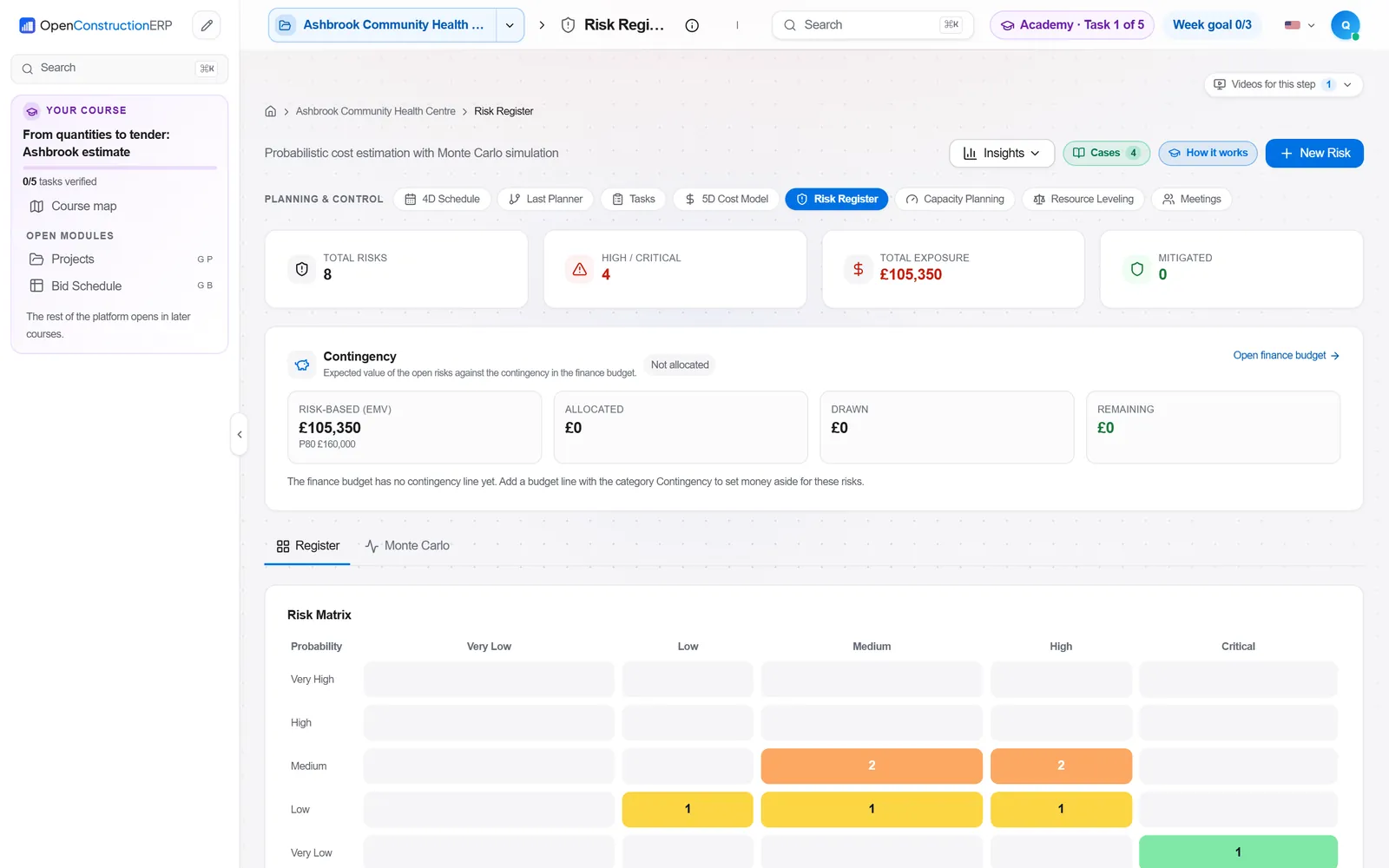
The Cost control, EVM and risk modules support this process. Risk Register tracks risks, scores probability and impact and manages mitigation. The team links risk exposure to the commercial picture with the 5D Cost Model and with Full EVM forecasting and S-curves, and uses Cost-Value Reconciliation & Cashflow to see how risks that occur affect margin. Project Controls shows cost, schedule, quality, safety, risk and change in one executive dashboard for review meetings.
Risk Register · 5D Cost Model · Full EVM · Cost-Value Reconciliation & Cashflow · Project Controls
The app runs at openconstructionacademy.com/app for course learners.
Free videos
There is no free video on this process yet.
Courses
Course in preparation
Practise it in OpenConstructionERP
The free videos explain the process. The full course lets you run it yourself in the ERP, task by task.