







































Stage 3 of 7 · Estimate
Cost databases and resource rates
Keep the labour, plant and material rates that every estimate is built from.
- CoursesCourse in preparation
- Free videos9 videos
- Output
- Maintained rate database and resource catalogue for pricing
- Module
- Cost and resource data
- Documents
- Standards and references
What it is
Cost data is the store of unit rates, resource prices and productivity norms that estimators price from. It includes labour rates, plant hire rates, material prices, composite rates for common work items and reference data from published price books or previous projects. Each record should show its source, date, location and unit, otherwise it cannot be trusted or adjusted.
Reliable cost data makes estimates faster, more consistent and easier to defend. It feeds every rate in the bill, the valuation of variations and the checking of subcontractor quotes. Because prices change with time, region and currency, a cost database needs indexing and maintenance. Data from one country or year used without adjustment is one of the quieter sources of estimating error.
Who does it
- Cost data manager or senior estimator
- Maintains the rate library, records sources and retires out-of-date items.
- Estimator
- Selects and adjusts rates for a specific project and feeds back where rates proved wrong.
- Buyer
- Supplies current supplier prices and quotations that update material and plant rates.
- Quantity surveyor
- Uses benchmark data to check estimates and value variations.
How it runs
Choose base sources
Decide which published databases, regional catalogues and in-house records form the base library.
Import and classify
Load cost items with units, resource splits and classification codes so they can be searched and matched.
Record date and location
Tag each rate with its price date, region and currency.
Adjust to project conditions
Apply price indices, location factors and currency conversion to bring base rates to the project date and place.
Match to the bill
Find candidate rates for each bill position or model element and confirm the right one.
Update from the market and site
Refresh prices from supplier price lists and from completed projects.
How it differs by country
- United Kingdom
- The BCIS service of RICS publishes tender price indices, location factors and elemental cost analyses used for benchmarking. Price books such as Spon's are widely used for unit rates.
- Germany
- BKI (Baukosteninformationszentrum) publishes building cost data structured by DIN 276 cost groups, and the Federal Statistical Office (Destatis) publishes construction price indices used for price adjustment.
- France
- The INSEE BT building indices and TP public works indices are used for price revision clauses in French contracts. Published rate books from specialist publishers support DPGF pricing.
- United States
- RSMeans data, organised by MasterFormat, is a common commercial source of unit costs, with city cost indices for location adjustment. Labour rates on federally funded work must respect Davis-Bacon prevailing wage determinations.
- International
- On multi-country work estimators must handle currency conversion and differences in productivity, labour cost and taxes. Price adjustment formulas in FIDIC contracts rely on published indices named in the contract data.
Common mistakes
- Keeping rates without a price date, so nobody knows how out of date they are.
- Using rates from another region or country without location and currency adjustment.
- Storing only all-in rates with no resource split, which makes adjustment for labour or material price changes impossible.
- Converting currency at a single spot rate for a long project without recording the rate and date used.
- Never feeding site actuals back into the library.
In OpenConstructionERP
Module: Cost and resource data
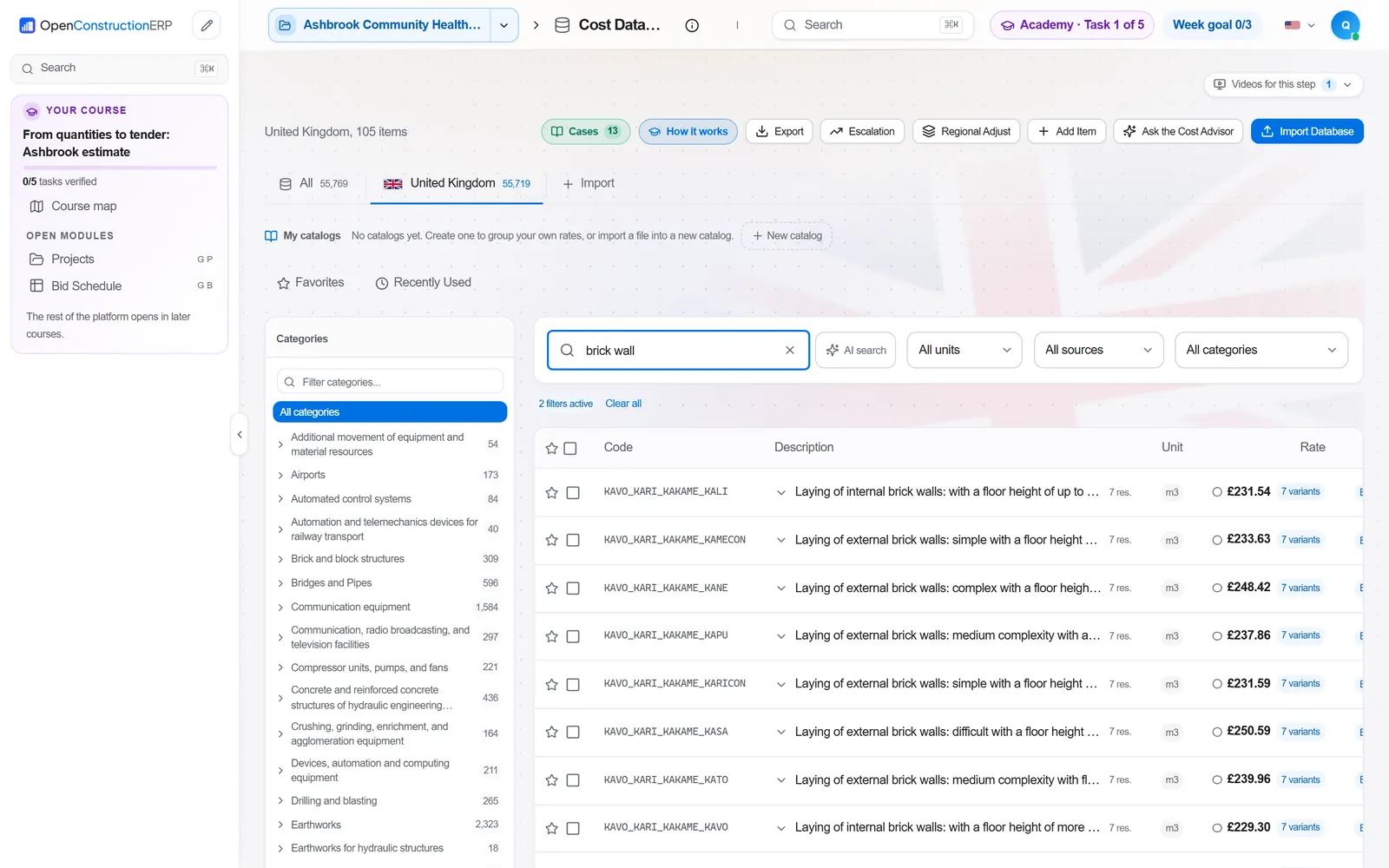
OpenConstructionERP keeps rates in the Cost Database module, which holds cost items and rate databases such as CWICR and regional catalogues with bulk import. The Product & Resource Catalog exposes materials, plant and labour from those databases. Cost Explorer lets estimators search priced work and compare scope across regional bases. Cost Match, Element Match and CAD-BIM Match to Cost propose cost positions for material layers and model or drawing elements. Price Index Adjustment moves costs between periods and regions, and Currency / FX handles multi-currency work.
Cost Database · Product & Resource Catalog · Cost Explorer · Cost Match · Element Match · CAD-BIM Match to Cost · Price Index Adjustment · Currency / FX
The app runs at openconstructionacademy.com/app for course learners.
Free videos
 9:35Orçamento de obra pública: SINAPI, composição e BDIPortuguês
 2:14Анализ на единична цена: материали, труд, механизация и печалбаБългарски
 8:30How to Read a Construction Estimate Line by LineEnglish
 8:08Excel vs Estimating SoftwareEnglish
 4:02Construction Cost Database: Check a Unit RateEnglish
 4:47Build a Construction Estimate Step by StepEnglish
 4:39Ribasso d'offerta: analisi prezzi e margineItaliano
 6:36Einheitspreise und Kosten nachvollziehenDeutsch
 7:35Kostenquellen und Ressourcen anpassenDeutsch
Courses
A course on this process is in preparation. Until then, the videos above cover it.
Practise it in OpenConstructionERP
The free videos explain the process. The full course lets you run it yourself in the ERP, task by task.